Okay so another very minor thing that bothers me about Safari's GUI is that even though I have Tiger's theme set to Graphite, the navigation buttons in Safari are still blue. Bad. So, I futzed around with my LiveQuartz and now I've got a little home-made present for you. This is a zip file of the pressed/clicked navigation buttons used in Safari. To use them, find Safari in Finder. Control click to reveal the popup menu and select "Show Package Contents." Open Contents > Resources. Then, in case you ever decide to go back, find the images contained in the Resources folder with the same name as the images in the zip file. Duplicate them and back them up in your Library folder or whever you like. Then drag the images in the zip file into the Resources folder. Voila. Graphite.
Procrastination, caffeine and boredom are a terribly lethal trio.
(You can use the "Show Package Contents" to look at the guts of any application. It's really fun to do. There are some features I've found in Safari and iChat which have yet to actually be implemented. Perhaps stuff being saved for Leopard?)
Showing posts with label GUI. Show all posts
Showing posts with label GUI. Show all posts
Saturday, May 13


Friday, May 12
Uno'd
Back when iTunes 6 was released, lots of people were a little angry that the GUI was changed to a more polished look that didn't really fit with the rest of Tiger's brushed windows. If you're using Safari just glance up at the toolbars or open a finder window. For the rest of you, you can get a feel for what it looks like here. I'd show you myself, but that isn't what my applications look like any more thanks to UNO. I personally like the new iTunes interface so I changed everything to match it. However if you're in the opposing crowd, UNO has an option to make it look a little better with the rest of Tiger's windows. (It's called UNO cause it's supposed to bring a unifying graphical user interface to your computer.) Anyway, here's some screenshots of my new windows.
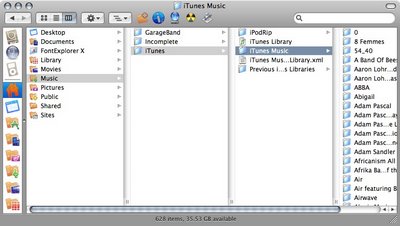

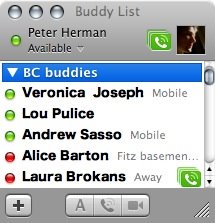
My only (minor) complaint is that the bottom of the iChat windows are now very rectangular. Meh. I'll live.
Oh and here's UNO:

If you don't like the the new look, you can uninstall any changes it makes. I recommend giving it a shot. See what you like best.
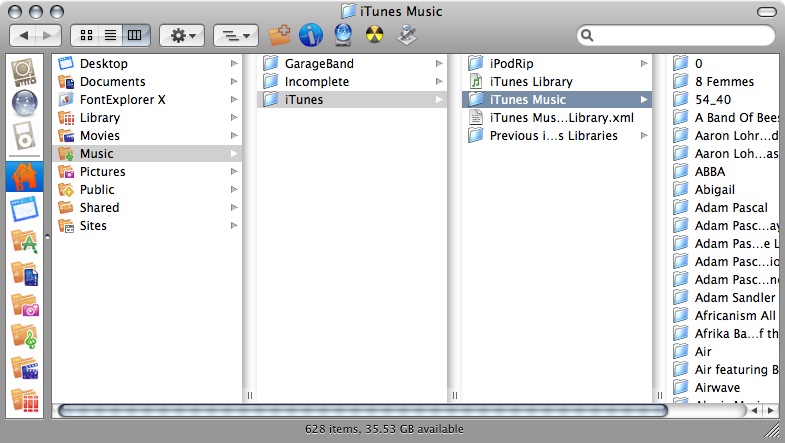

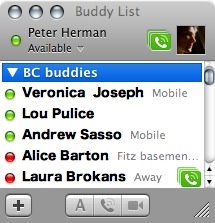
My only (minor) complaint is that the bottom of the iChat windows are now very rectangular. Meh. I'll live.
Oh and here's UNO:
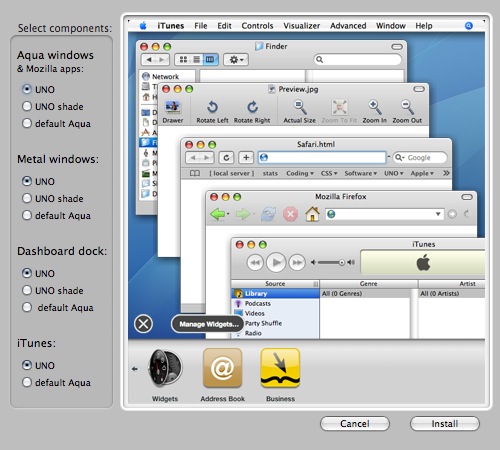
If you don't like the the new look, you can uninstall any changes it makes. I recommend giving it a shot. See what you like best.
Monday, April 24
iChax aEsthetics
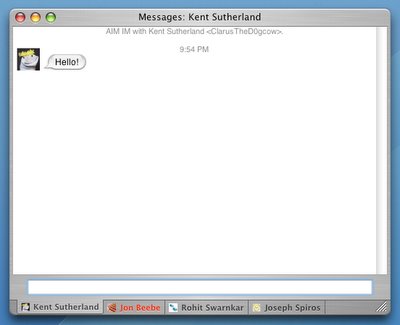
More beauty tips for your iChat! If you use Chax (and if you use iChat, you should be using Chax), you may have noticed much do your dismay that the mod I posted earlier to remove the borders from your chat windows was sacrificed for the increased efficiency of having tabbed chats.
Boo.
Three cheers for people who know how to use XCode tools! The borders are once again gone.

Enjoy.

Three cheers for people who know how to use XCode tools! The borders are once again gone.
Subscribe to:
Posts (Atom)